

Decision records
The Decision records tab sets two kinds of rules for your workspace's product process. The first decides when a status change on a feature request or a feature asks your team to record the decision behind it, or refuses to go through without one. The second decides what evidence a feature request needs before it can be promoted to a feature.
Key concepts
Decision. A record of why something was decided, kept in the feature's Decisions panel or the feature request's Decisions tab.
Prompt for a decision. After a status change, Productmind offers to record the decision. You can skip it, and the status still changes.
Require a decision. The status can't change until a decision is recorded with it.
Interest. A recorded voice for or against a feature request: who wants it, where the request came from, such as Customer feedback, and their position, such as Supporting or Opposing. See Feature requests.
Stakeholder role. The team an interest comes from, such as Leadership or Engineering.
The Decision records tab at a glance
In the sidebar, choose Settings, then Decision records.
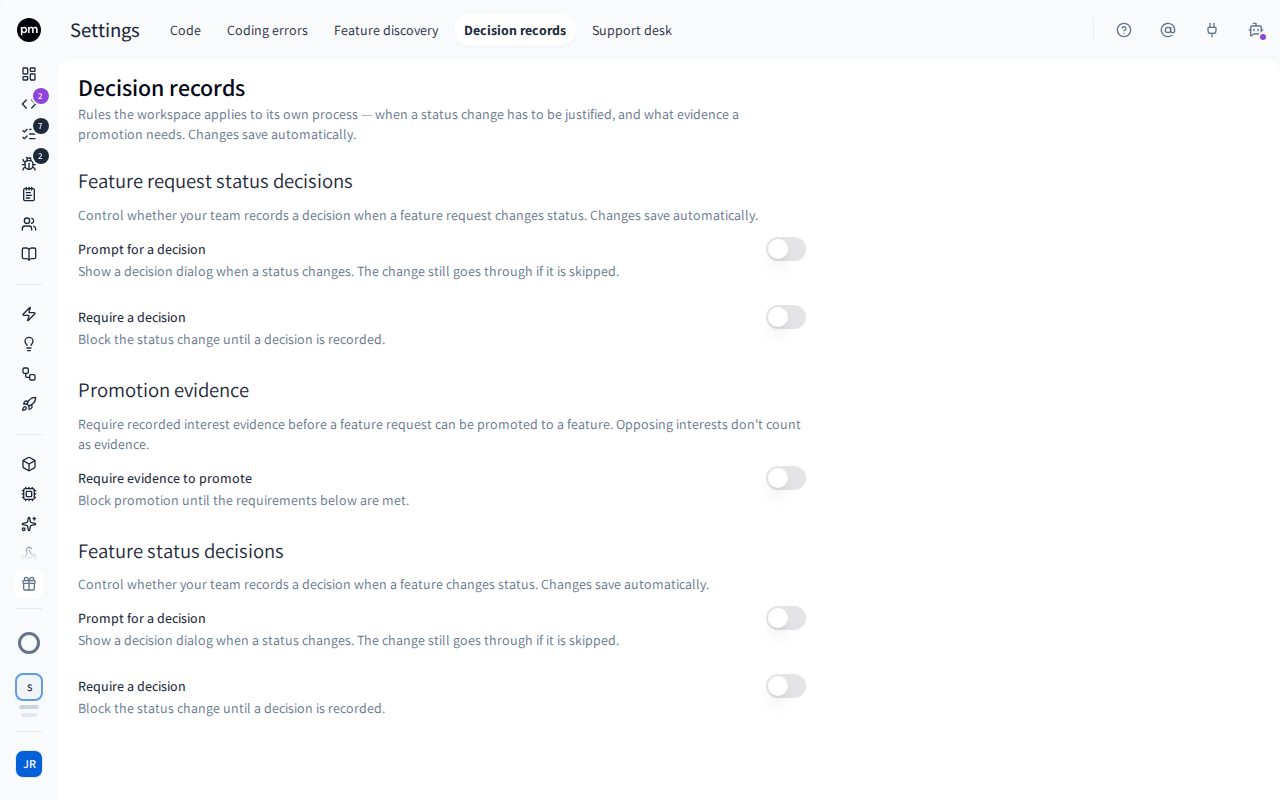
The tab has three sections:
| Section | Rules for |
|---|---|
| Feature request status decisions | Status changes on feature requests |
| Promotion evidence | Promoting a feature request to a feature |
| Feature status decisions | Status changes on features |
All rules start off.
Setting the rules
To ask for a decision when a status changes
- In the sidebar, choose Settings, then Decision records.
- Under Feature request status decisions or Feature status decisions, turn on Prompt for a decision to offer the decision dialog, or Require a decision to make it compulsory. Requiring a decision always prompts for one.
- Under Which status changes, choose:
- All status changes; or
- Only selected statuses, then select the statuses. The rule applies to a change that moves a record to one of them, or away from one of them.
Saved appears next to the section's title.
With Only selected statuses and nothing selected, the rule applies to nothing. The tab says so.
To require evidence before a feature request is promoted
- On Decision records, under Promotion evidence, turn on Require evidence to promote.
- Set the requirements:
- Minimum interests: how many interests the request needs, not counting opposing ones.
It is
1until you change it, and0turns this check off. - Require customer evidence: at least one interest must come from customer feedback.
- Required stakeholder sign-off: select the stakeholder roles that must each have a supporting interest on the request.
- Minimum interests: how many interests the request needs, not counting opposing ones.
It is
Saved appears next to the section's title.
How the rules behave
A prompted decision. After the status changes, Record a decision for this status change? opens. Record the decision, or choose Continue without decision. The status has already changed either way.
A required decision. When someone picks a status that needs a decision, Record a decision to change status opens before anything changes. The status changes only when the decision is saved with it. Cancel leaves the status as it was.
Promotion evidence. When someone promotes a feature request, the promote dialog checks the request's interests against your rules and lists what is missing, for example "Needs customer feedback evidence". Promotion is refused until every requirement is met. This applies to promoting one request or several at once.
Opposing interests never count as evidence. A required stakeholder role needs a Supporting interest: a neutral or opposing one from that role isn't a sign-off.
Changes apply right away to the next status change or promotion in this workspace.
Permissions
| To | You need |
|---|---|
| See and change the decision rules | The Owner or Admin role |
| Record a decision | Decisions: Create |
Troubleshooting
A status change asks for a decision on only some changes
The rule is set to Only selected statuses. It applies when a record moves to or away from a selected status.
A feature request can't be promoted
Require evidence to promote is on, and the request doesn't meet every requirement yet. The promote dialog lists what is missing. Record the missing interests on the request, or change the rules.