

Support access
When someone in your organization asks Productmind for a review (a code, architecture or product review of a coding session), the Productmind Architect who takes it gets temporary access to that one session. The Support access tab is where you allow or stop that, and see and revoke every access an architect has had.
Key concepts
Productmind Architect. A Productmind engineer who reviews your team's work when you ask for it. See Support center.
Grant. One architect's access to one session. You never create a grant yourself. It's created when someone in your organization asks for a review and an architect picks it up, and it ends on its own.
What an architect can see. One session, and the features, tasks and bug reports it links or that you share, with their comments and attachments. People's email addresses are always hidden. They can't see the session's transcript or logs, your lists, other sessions, other workspaces or your organization's settings.
| Access | Lasts | For |
|---|---|---|
| Read-only evaluation | 24 hours, and at most 72 hours for one request | Looking at the work before quoting for the review. Never billed. |
| Review | Between 24 and 72 hours, based on the review's estimate | Doing the review |
Merge is Allowed only when the person who asked ticked Allow PM Architects to merge.
The Support access tab at a glance
In the sidebar, choose Identity & Access, then Support access.
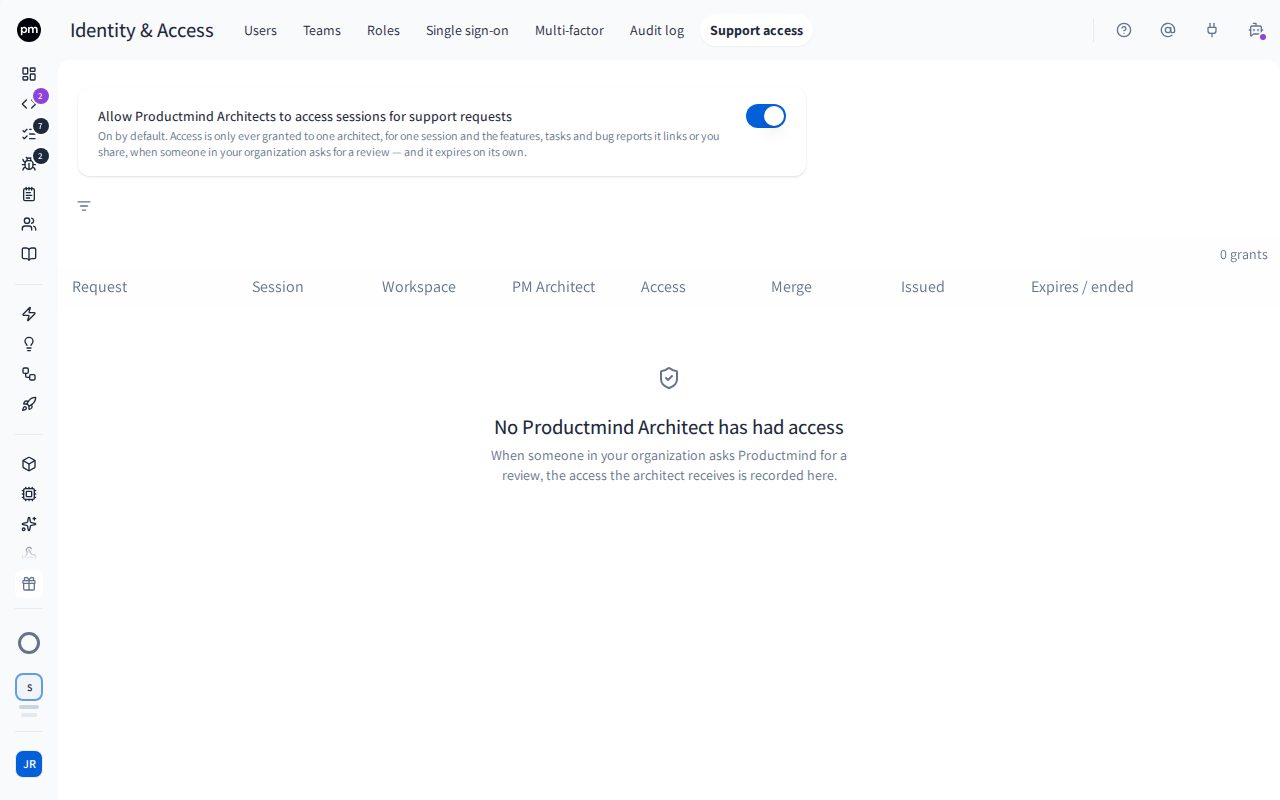
At the top, Allow Productmind Architects to access sessions for support requests turns access on or off, and shows how many grants are active and how many review requests are open.
Below it, Access history lists every grant, with:
- the request it's for (such as SUP-3);
- the session and workspace;
- the architect;
- Access (Read-only evaluation or Review) and Merge;
- when it was issued;
- its Status: Active, with when it expires, or Ended, with when and why it ended, for example because your team revoked it or the access window expired.
Filter the list by Status and Workspace.
Managing access
To revoke an architect's access
- On an active grant, choose Revoke.
- Choose Revoke access.
The architect loses access at once. For a review, this is final: access to that request can't be granted again.
To turn off Productmind Architect access
- Turn off Allow Productmind Architects to access sessions for support requests.
- Read what happens, then choose Turn off access.
When you turn it off:
- every active grant is revoked at once;
- open review requests are closed;
- nobody in your organization can ask Productmind for a review until you turn it back on;
- an architect who had already started can finish the review within 72 hours, and bill the time worked until access ended.
Revoked access isn't restored when you turn it back on.
How support access behaves
On by default, unless your organization requires single sign-on. Then it starts off.
Every grant ends on its own, when its time runs out, the session ends, the pull request is closed, or the request is finished.
Permissions
| To | You need |
|---|---|
| See the Support access tab | The Owner or Admin role |
| Revoke a grant, turn access on or off | Permission to manage members (Owner or Admin) |