

Context
The workspace agent context is a short briefing about your product that the PM agent, the interview agent and some generators read: what the product is, who uses it, the words your team uses and the conventions that always apply. Think of it as what you would tell a new colleague on their first day. You write it once on the Context tab, or generate it from your product overview.
Key concepts
Workspace agent context. One Markdown document per workspace. Productmind adds it to the instructions of the PM agent, and of some of the features that generate content for you, such as generating tasks from a feature or promoting feature requests. It also reaches the agent that runs agentic interviews with your customers, and the agents that summarize your customer research.
Product overview. The overview document of your knowledge base. Productmind can write the context for you from it.
Context or skills. The agents that read the context read it on every run, so keep it to what is always true. A procedure that only matters for one job belongs in a skill.
The Context tab at a glance
The Context tab isn't shown in the Agents tab list for now. A link to it still opens it, and the agents that read the context still get the one your workspace saved.
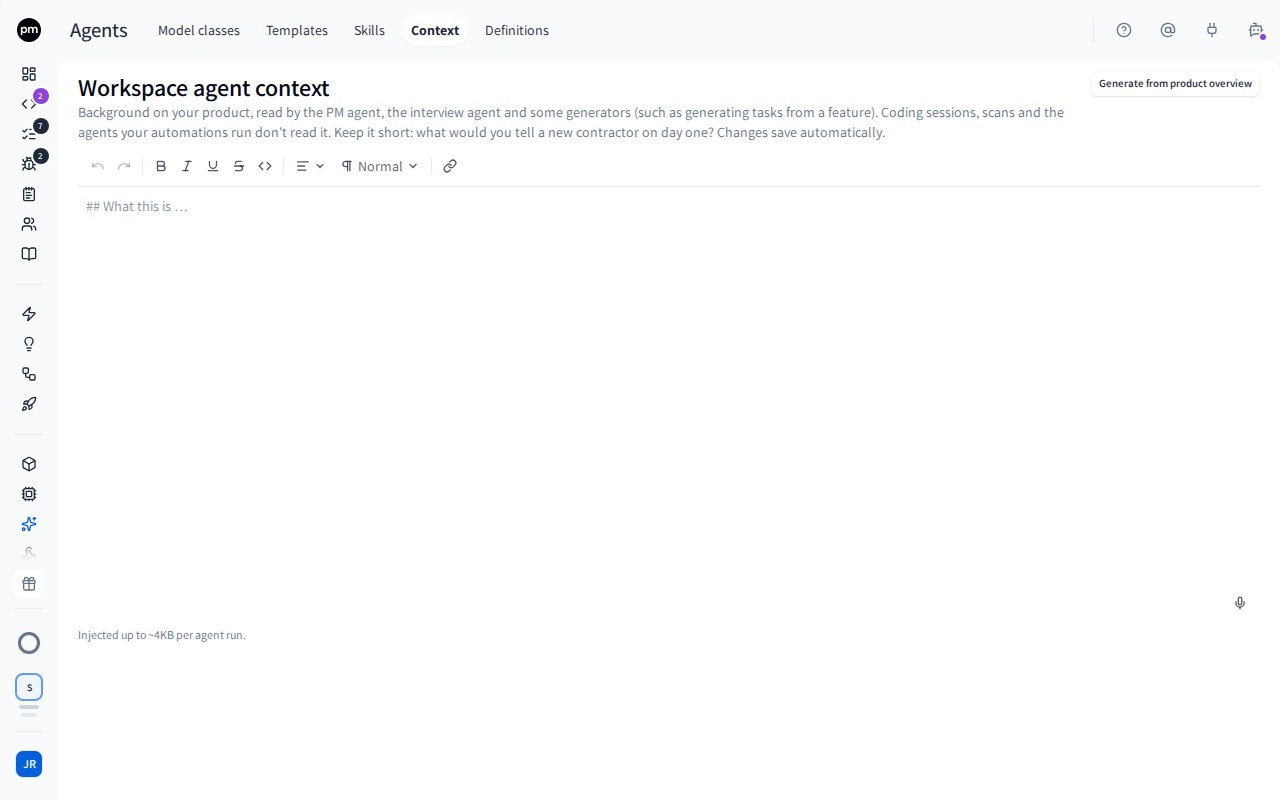
The tab shows the Workspace agent context heading, Generate from product overview, and the context in an editor. Below the editor, Injected up to ~4KB per agent run is a reminder of how much of it agents read.
Writing the context
To write the context
- Open the Context tab.
- Write the context in the editor. For example: what the product does and for whom, the terms your team uses and what they mean, and the conventions every answer should follow.
- Move out of the editor.
The context saves, and the header shows Saved. Agents read the new version within about five minutes.
To generate the context from your product overview
- On the Context tab, choose Generate from product overview.
- If the editor already holds text, Productmind asks you to confirm. Choose Replace context, or Keep current context to cancel.
- Wait while Productmind reads your product overview and writes a briefing from it. The button shows Generating meanwhile.
The generated context appears in the editor. Review it and edit it like any other text.
Generating replaces the context in the editor, including your edits, and the old text can't be recovered. Copy anything you want to keep before you choose Replace context.
How the context behaves
It's written for you the first time. When your workspace saves its product overview in the knowledge base and has no context yet, Productmind generates one from it. It never overwrites a context that already exists.
Agents read about 4,000 characters of it. Anything longer is cut off, so put the most important things first.
Changes reach agents within about five minutes. Agents keep a copy of the context for a few minutes between runs.
The interview agent reads it too. Don't put anything in the context that you wouldn't want the agent that interviews your customers to know, or to repeat to them.
Coding sessions, scans and the agents your automations run don't read it. To shape how coding sessions and scans work, edit their templates or add skills. An agent that an automation runs follows only its own instructions, which you edit on the Definitions tab.
Permissions
| To | You need |
|---|---|
| Write or generate the context | Agents access (under Administrative access on the Roles tab) |
The Owner, Admin, Power User and Developer roles have it. The PM agent, the interview agent and the generators read the context whoever uses them. See Roles and permissions.
Troubleshooting
Agents ignore part of the context
Agents read only about the first 4,000 characters. Shorten the context, and move procedures into skills.
Generate from product overview produced little or nothing
The context is only as good as your product overview. Fill in the overview in the knowledge base, then generate again.